Showing posts with label Windows 10. Show all posts

Monday, February 8, 2016

Windows 10 is coming...

Just a warning to the masses.

Microsoft has started sneaking Windows 10 upgrades to user PCs by switching the Windows 10 upgrade from an "optional update." to a "Recommended Update" in Windows Updates.

Microsoft launched Windows 10 earlier last year and offered the free upgrade for Windows 7, 8 and 8.1 PCs. If you have Automatic Windows Updates enabled on your Window 7, 8 or 8.1 PCs and set to install critical updates and security patches, you should watch out because Windows Update might start upgrading your PC to the latest version of Windows 10. If you don't keep an eye out and deselect the now recommended update the Windows 10 upgrade process might just be downloaded and installed without your notice.

Microsoft states that you won't be forced to upgrade to Windows 10 as there will still be a EULA prompt that will require you to click through and confirm the Windows 10 upgrade after the files have been quietly downloaded to your computer. But we know no one reads the fine print we all just click accept.

If the Windows 10 upgrade is accidentally completed, there is still a way to revert back to your previous OS. Your newly upgraded OS offers a 31-day grace period in which you will be able to revert to your old installation after trying Windows 10. 


Anyways, just an FYI...

Windows 10 - Handle is Invalid at Logon

Windows 10, VMWare ESXi 5.5 Virtual Machine, Citrix VDA 7.6.300 or 7.7  – Handle is Invalid


Windows 10 updates installed on a VM with Citrix VDA 7.6.300 or 7.7 and when a domain log in is attempted a "Handle is Invalid" error message is received. If logging in as a local admin, a welcome circle spins and the lock screen appears.


The newest 7.8 VDA fixes this issue.

If you can't upgrade to 7.8 VDA - 


Hold the SHIFT key and click power, restart. This will take you to the Win 10 Troubleshooting screen.


Click the Troubleshoot icon.

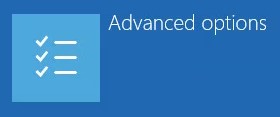
Click Advanced options.
Click Startup Settings


Click on Restart.

Hit the F4 key to go into Safe Mode.

Log in as the local administrator.

Even safe mode is broken at this point – the start menu and search options won’t work, and some icons from the task bar will be missing. By default, there is a Windows Explorer icon in the task bar, and it works – click on it.
 

From Windows Explorer, right click on This PC, and select Properties.

In the properties window click on Control Panel in the address bar to get to the control panel.


The search function works from the control panel – search for Installed Updates or Windows Updates and click on View Installed Updates.

There are several KBs that cause the issue: Find the following KBs and uninstall them if present:
KB3124262
KB3135174
KB3124266
KB3124263
KB3135173
KB3140743
KB3140745
KB3140768


After the updates are uninstalled, reboot the virtual machine, and the Handle is Invalid error will be gone. During the reboot it will look like updates are being installed instead of uninstalled, but once logged double check installed updates to make sure these are gone.

Citrix has a hotfix for the Windows 10 VDA - CTX205784. This might prevent the error from returning or further break things. I've had it do both. Use at your own risk.

View Known Issues from CTX205398.